Free for iPhone, iPad & Android
WiFi Finder: free WiFi passwords near you
WiFi Finder is a free app that shows which cafes, restaurants, hotels, libraries and airports around you have WiFi, and what the password is. Every spot is shared and checked by people who have been there.


- 13,000+ downloads
- 22 languages
- No account needed
Free WiFi near me
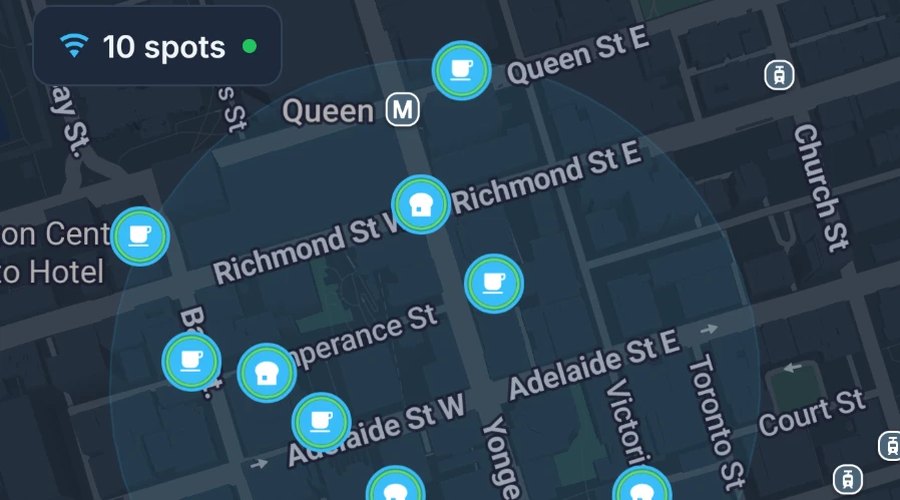
Every WiFi spot around you, on one map
Open the app and see free WiFi nearby, marked by type: coffee shops, restaurants, bars, hotels, libraries, gyms and more. Filter by category, search another neighbourhood, or switch to the list view.
WiFi passwords
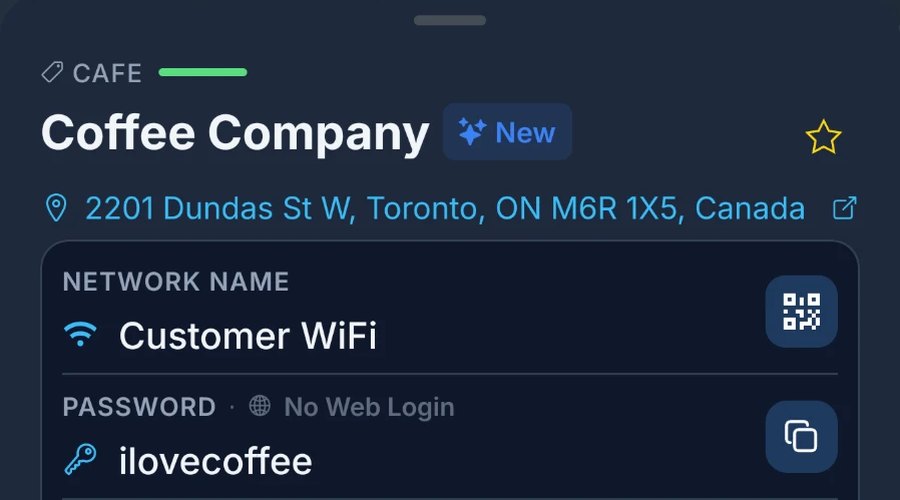
The network name and password, ready to use
Tap a spot to see its network and password. On iPhone and iPad, join with one tap. On Android, copy the password with a single tap.
- Network
- Customer WiFi
- Password
- ilovecoffee
- Status
- Connected successfully today
Built by the community
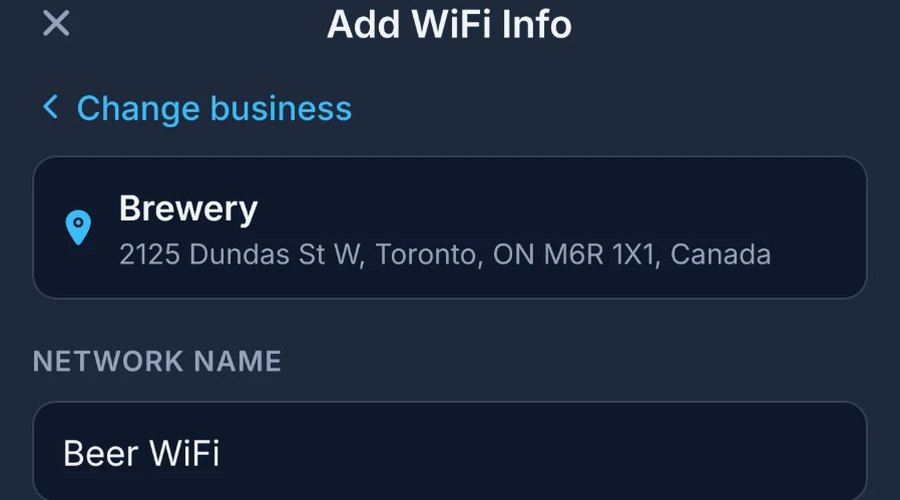
Share a password in seconds
Connected somewhere new? Add it for the next person. WiFi Finder picks up the network you're on, finds the business you're in, and you type the password. Every addition helps travellers, students and remote workers nearby.
Offline WiFi map
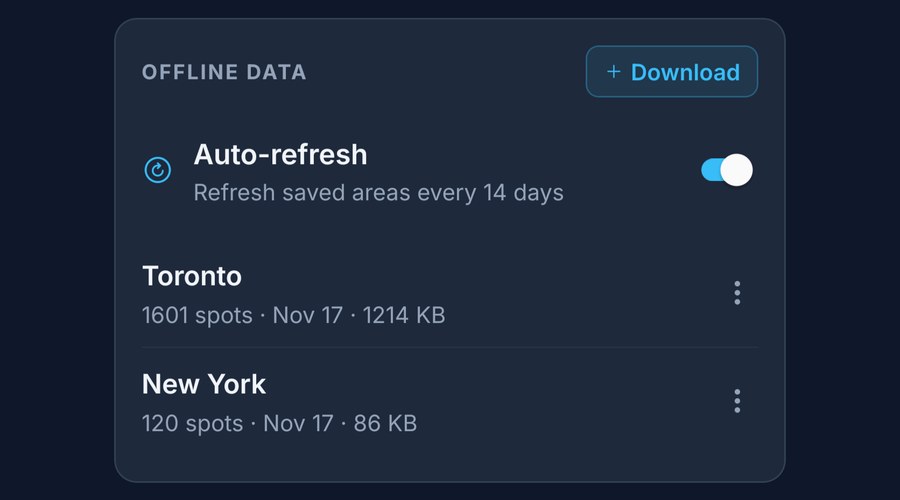
Download a city before you go
Frame any area on the map and save its WiFi spots and passwords to your phone in one tap. A whole city usually takes just a few megabytes, and it works with no data plan, no roaming and no signal. You can also have saved areas refresh themselves every 14 days.
Features
Everything you need to get online away from home
-
Verified by real visits
See when someone last connected successfully, plus votes and reports. Spots with a wrong password are flagged on the map.
-
Share with a QR code
Show any spot's WiFi as a QR code. Friends scan it with their phone camera and join without typing the password.
-
Speed tests
Run a speed test on any network and see download, upload and ping results that others have shared, so you know before you sit down.
-
Outlets, washrooms and A/C
Planning to work for a few hours? Spots show whether there are power outlets, washrooms and air conditioning.
-
Favourites
Save the places you go back to, from your local library to the cafe by the office, and find them in a tap.
-
Works worldwide
Find WiFi at home or abroad, in 22 languages including English, Spanish, Portuguese, French, Arabic, Hindi and Japanese.
How it works
Online in three steps
-
Open the map
Allow location and WiFi Finder shows the free WiFi spots closest to you.
-
Pick a spot
Check the password, when it last worked, its speed and what's on site.
-
Connect
Join in one tap on iPhone and iPad, or copy the password on Android. If it worked, give it an upvote to help the next person.
Popular cities
Free WiFi in popular cities
FAQ
Questions about WiFi Finder
What is WiFi Finder?
WiFi Finder is a free app for iPhone, iPad and Android that shows the WiFi network and password for cafes, restaurants, hotels, libraries, airports and other places near you. The passwords are shared and checked by people who have been there, and you can download an area to use offline.
Is WiFi Finder free?
Yes. WiFi Finder is free to download and use on iPhone, iPad and Android. You don't need an account.
Where do the WiFi passwords come from?
People who have used a network add it: usually the guest WiFi a cafe, restaurant or hotel gives its customers on a receipt, menu or sign. Other users then confirm it works or report it when it changes.
How do I know a password still works?
Each spot shows when someone last connected successfully, its votes, and any reports that the password is wrong. Spots with problems are marked on the map.
Does it work without internet?
Yes. Download any area of the map before you travel and its WiFi spots and passwords stay available offline.
Can I connect without typing the password?
On iPhone and iPad you can join a network with one tap. On Android, tap to copy the password, then paste it in your WiFi settings.
Which countries and languages are supported?
WiFi Finder works anywhere in the world, and people have added spots across many countries. The app is available in 22 languages.
I own a business. Can I have our WiFi removed or updated?
Yes. Open the spot in the app and request removal, or email info@wififinder.ca. You can also add a new password when it changes, so customers always see the current one.

Find free WiFi wherever you are
Free on the App Store and Google Play.